

| ||
| July 15, 2003 [posted] | ||
| PubMed® Available for Use on Handheld, Wireless Devices | ||
|
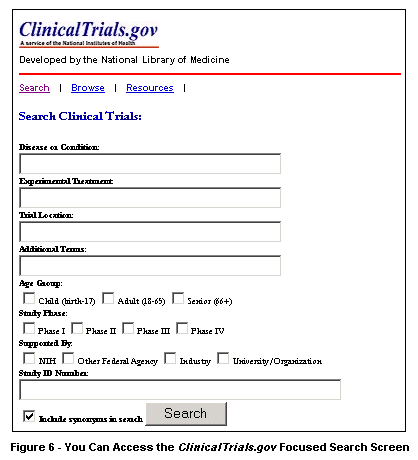
You can choose among these three functions from the application's home page, found at [April 8, 2006: This link was removed because it is no longer valid.] (see Figure 1). 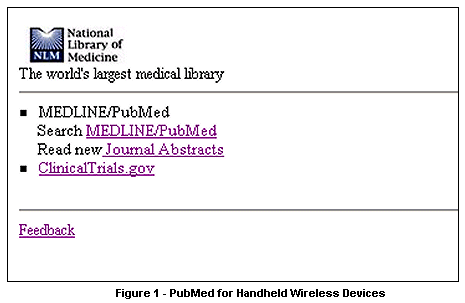
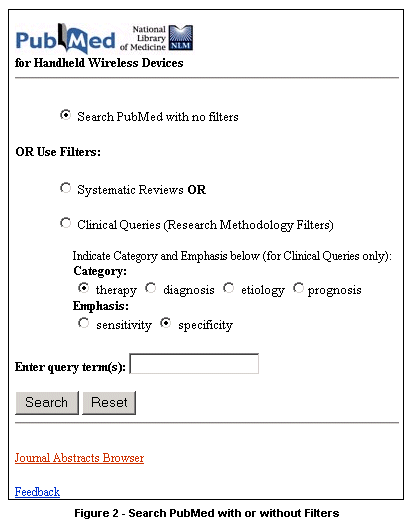
Searching PubMed
Viewing Journal Article Abstracts
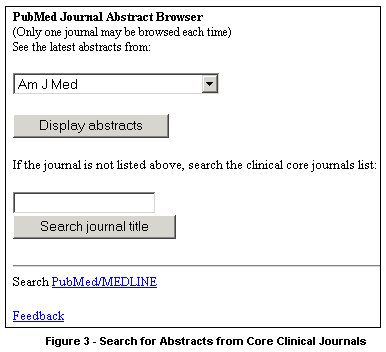
You can search for abstracts using two different methods. At the top of the screen, you can choose from one of 28 of the journals, which are listed by NLM title abbreviation in a pull-down menu, and then click the "Display abstracts" button. Or, if the journal whose abstracts you'd like to view is not among those listed in the pull-down menu, you can enter any part of the journal's title (or the NLM title abbreviation) into the search box on the lower half of the screen (see Figure 4), and then click the "Search journal title" button, to retrieve a list of all the core clinical journals that contain the word(s) entered (see Figure 5). 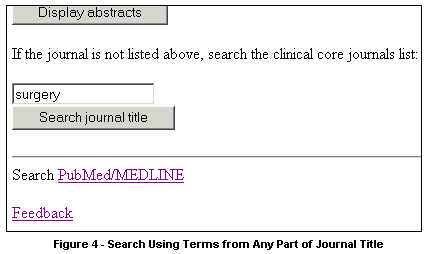
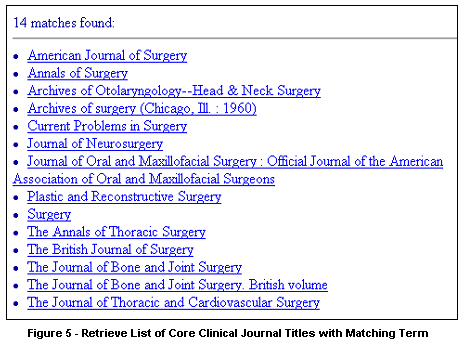
From the list of journals you retrieve, you then click on the journal title of your choice to see the abstracts from that journal. Often, the most current abstracts will appear at the top of your results list.
Accessing ClinicalTrials.gov
Application Requirements
Using this application requires no new file installation; it does not take up space in the PDA's memory, apart from in the browser's cache. It has been tested with 802.11b networking protocols, Bluetooth Wireless Technology®, InfraRed PDA Connect®, as well as wireless modem and desktop synch technologies.
Feedback For more information, please contact: Paul Fontelo, MD, MPH Read More
Julie Stetson 
Stetson JS. PubMed® Available for Use on Handheld, Wireless Devices. NLM Tech Bull. 2003 Jul-Aug;(333):e5. | ||
 he National Library of Medicine® (NLM®) has a new, free Web application designed to help healthcare professionals search PubMed, read journal abstracts, and access ClinicalTrials.gov using their wireless, handheld computers.
