
|
Technical Notes - e1 Impact of the NLM ILS on CATLINE® /AVLINE® /SERLINE® - e2 CANCERLIT® and PDQ® To Be Removed from the NLM Databases - Available from NCI's Web Site - e3 Introducing Internet Grateful Med Version 2.6 [corrected 1998/11/24] - e4 NLM Online Training Program - 1999 - e5
|
Gold Standard Search
Thank you to everyone who mailed in search strategies in response to the Gold Standard
Search article in the January-February issue of the NLM Technical Bulletin. This article is being
published in the July-August issue, instead of the May-June issue as originally scheduled because
there were so few responses to this contest and it was hoped the additional time would allow the
any late entries to be considered (see Comment on Response to the Gold Standard Search).This
feature offers searchers a chance to match wits with NLM staff on a search strategy formulation
using PubMed or Internet Grateful Med (IGM). The Gold Standard search strategies are
developed here at NLM. The search request published in the January-February 1998 issue was:
The Winner
Introduction to the Search Figure 1 - Internet Grateful Med Version 2.6 Web site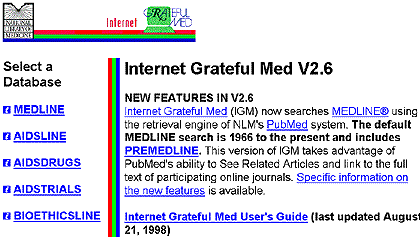
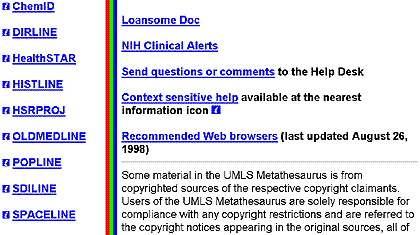
Choosing a File To ensure your search results are as up to date as possible and to retrieve the latest, in-process citations, you would need to run your strategy against the PREMEDLINE data also. These two sources together would give you the most complete retrieval. Only NLM's MEDLINE database on the Web includes PREMEDLINE citations. There are two possible approaches to searching for HealthSTAR and PREMEDLINE data.
HealthSTAR is a segmented file with two parts, 1990 forward and 1975-1989. The Gold Standard Search retrieved sufficient data in the current file (139 citations as of July 98) that the decision was not to search the backfile. Ms. Banick also searched only the current HealthSTAR data in her search. In PubMed she did not limit by year; however, because Health Maintenance Organizations was introduced as a MeSH heading in 1974, and she searched using this term, the PubMed retrieval was limited to 1974 and forward. Ms. Banick retrieved 90 citations in PubMed and 95 additional unique citations from HealthSTAR.
Analysis of the Search Strategies Figure 2 - Internet Grateful Med Search Screen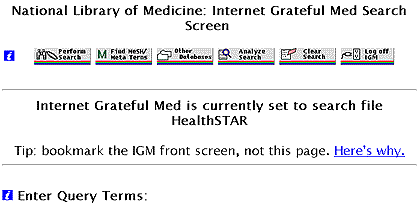

After clicking on the Find MeSH/Meta Terms button you will see the screen shown in Figure 3. Figure 3 - IGM Metathesaurus Browser Screen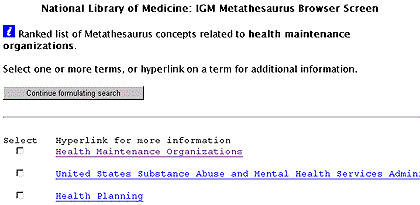
Figure 4 shows that when you click on the term, Health Maintenance Organizations you will see the headings that this term is indented under (the parent term) and the other terms idented under the parent heading and the headings further indented under the term you are viewing, if any. (Health Maintenance Organizations does not have any terms indented under it - See Figure 8 for a display of a term with an indention.) This display is the equivalent of seeing a MeSH tree displayed from the top down to the term that you are requesting. Figure 4 - IGM Metathesaurus Screen Display for Health Maintenance Organizations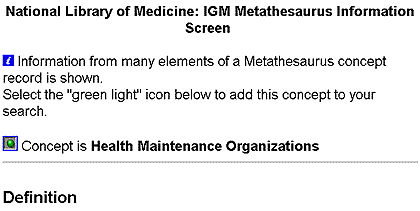
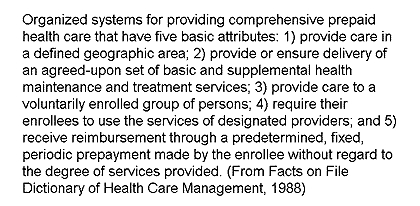
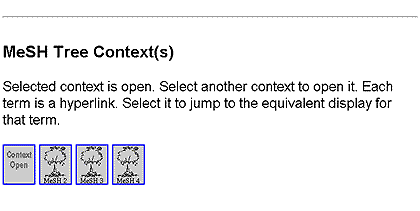
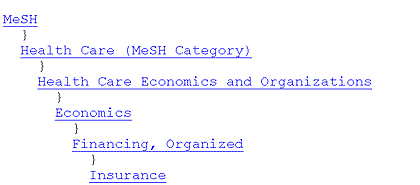
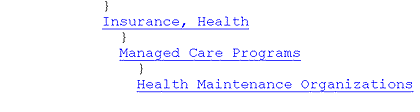
The explodable parent term displays directly above and slightly to the left of the terms that will also be retrieved if you select that term; Internet Grateful Med automatically includes the more specific terms under the parent term (e.g., if you select Managed Care Programs you will include all the citations indexed to that term and all the terms on the same line with Health Maintenance Organizations). If you scroll to the right on the screen shown above, you will see that the complete text on the line displaying Health Maintenance Organizations reads as follows: Health Maintenance Organizations - Competitive Medical Plans - Independent Practice Associations - Preferred Provider Organizations Those terms plus the parent term would all be retrieved if you select Managed Care Programs (the parent term). Please note that the terms on the same level of a MeSH tree display horizontally across the screen in IGM. This differs from the display in the printed MeSH Trees as well as in the PubMed MeSH Browser which display terms on the same level vertically as shown below:
It is generally advisable to look at the MeSH/Meta terms before doing your search. Looking at this list will let you know what other related terms are available and could help you to broaden or narrow your search, especially if your initial retrieval is not ideal. Click on the round (green light) globe button (radio button) next to the concept definition, shown in Figure 4, to add Health Maintenance Organizations to your search and you will see the screen shown in Figure 5. Cautionary note: If you select your term from the Metathesaurus, then you will be searching your term only as a MeSH heading. If you leave your term as entered originally on the search screen, IGM will search it as a MeSH heading, exploded if it has narrower terms, and will AND together the phrase words as individual Text Words and will search it also as a keyword. In other words, health maintenance organizations (not selected from the Metathesaurus) will be searched as: health maintenance organizations (mh) or health (tw) and maintenance (tw) and organizations (tw) or health maintenance organizations (kw). The Gold Standard search used only MeSH headings not Text Words or Keywords (to increase specificity and limit the amount of retrieval). In the screen in Figure 5, the box is checked to show that in this search the MeSH term must be a major topic in the citation. Clicking on this box is the equivalent of starring a MeSH heading in ELHILL (i.e., *health maintenance organizations). You also have the opportunity here to add subheadings (concept qualifiers) to your MeSH selection; however, since that is not being done for this search, it will not be covered in this article. Click on Return to Search Screen to continue adding terms to your search. Figure 5 - Selecting your term as a Major Topic in the Citation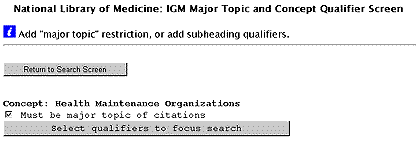
After clicking on Return you are brought back to the search screen and given the opportunity to enter another term. If you are not familiar with the exact MeSH heading for your term and you enter the phrase on the second subject line (Figure 6) as stated in the original search request, "customer satisfaction," and then click on "Find MeSH Meta Terms" you will see the display shown in Figure 7. The MeSH/Meta Terms display portion for the other term in this search, Consumer Satisfaction, is shown in Figure 8. Consumer Satisfaction has the term Patient Satisfaction indented underneath it and this term will be retrieved because of IGM's automatic Explode feature. Figure 6 - Searching for a Non-MeSH Phrase as the Second Subject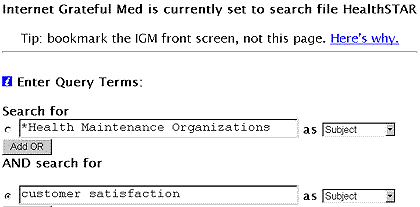
Figure 7 - Metathesaurus Display for Concepts Related go to Customer Satisfaction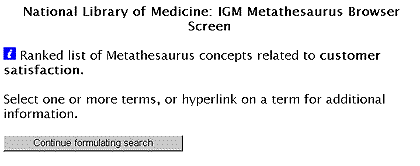
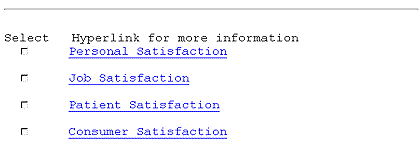
Figure 8 - Metathesaurus Display for Consumer Satisfaction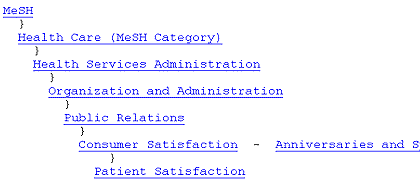
If you do not want to include the more specific term, patient satisfaction, in your search, put a forward slash ( / ) in front of it on the subject line, i.e., type /consumer satisfaction. The forward slash means that ELHILL search syntax will be used for whatever follows the slash (in this case, the automatic explode would NOT be applied). However, for this search, the indented term, Patient Satisfaction, is desired so Consumer Satisfaction is selected and made a major topic as was done with Health Maintenance Organizations. Once back at the search entry screen, click on Perform Search (screen shown in Figure 2). In late July 1998, 139 citations were retrieved from 1990 forward. IGM displays the retrieval in the brief format shown below in Figure 9. IGM 2.6 will display data from the MEDLINE database 20 citations at a time; all other files will display citations eight at a time. The citation selected for display below is one available only in HealthSTAR; you could not retrieve this in MEDLINE. Of the 139 citations retrieved in the Gold Standard search, over 90 were unique to the HealthSTAR database. Figure 9 - Sample Citation Retrieved in HealthSTAR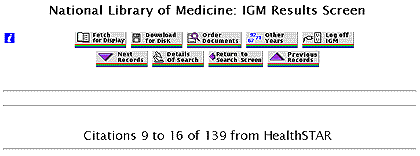
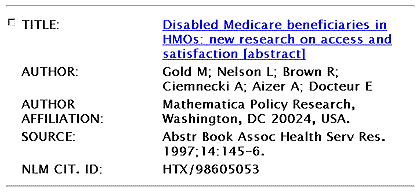
Displaying Your Search Strategy Figure 10 - Details of Search Screen Displays the Search Strategy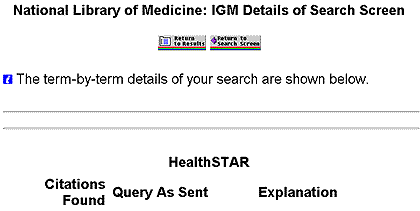
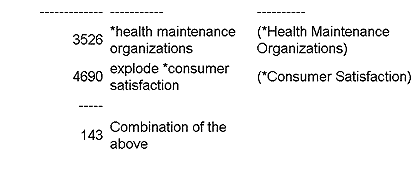
Retrieving the Most Recent Citations From PREMEDLINE
Limiting to English
An Alternative Search Strategy Figure 11 - Running the Strategy in PubMed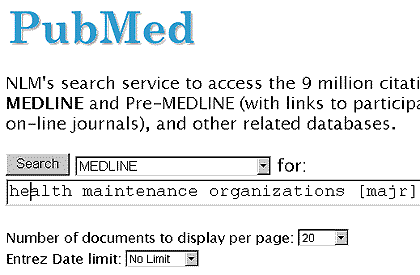
Then Ms. Banick went to HealthSTAR via IGM2.3.2 and ran the same MeSH heading search featured in the Gold Standard search and used the feature shown in Figure 12 to eliminate the MEDLINE overlap. In the Apply Limits section at the bottom of the IGM Search Screen you may click on any of the boxes and select a value other than the default value. In the MEDLINE overlap box, the default setting is Include MEDLINE References, so you need to click to select Exclude MEDLINE References if that is what you want to do. Figure 12 - Eliminating the MEDLINE Overlap from HealthSTAR Retrieval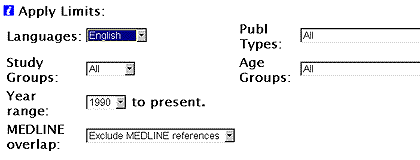
Epilogue - Future Plans
Comment on Response to the Gold Standard Search
The Next Gold Standard Search Results will be published in the November-December NLM Technical Bulletin. Entries must be received by October 15, 1998 to be considered.
Search Hints
Reminder If your strategy is selected for publication you could win an NLM T-shirt or coffee mug. In cases of multiple submissions of identical winning strategies, the prize winner will be either the person who is a first time winner or the first winning strategy received. Mail us a copy of your search strategy and include a printout of citations. Please note that in the interest of saving time and postage we are no longer asking for abstracts. With PubMed or IGM as your search engine, if you are unable to print the Details box or the screen displaying your search strategy (try Control P (PC) or Command P (Macintosh)), please type your strategy on paper for submission and mail it to:
|
| Table of contents |
 Gold Standard Search - e6