

| ||
| April 25, 2001 [posted] | ||
| LinkOut for Libraries Now Available | ||
|
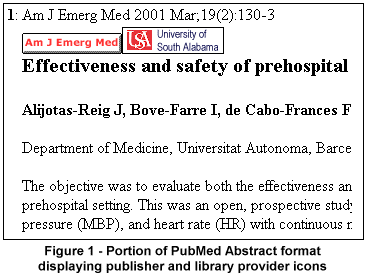
To participate, a library must submit "electronic" holdings data to NLM. Holdings data indicate LinkOut journals for which the library has subscriptions. All access restrictions still apply. Using the example of a university, if access to a journal is based on the university's IP addresses, patrons will have access to the electronic full text when using a computer with a university IP address. Or, if access is password protected, users must still enter the password. After a library provides NLM with the necessary holdings data, the library's icon will appear on the Abstract and Citation formats in PubMed using either method described below:
Important information and instructions for participating in the LinkOut for Libraries program can be found in PubMed's Overview under LinkOut Participation Overview. This program is currently open to U.S. libraries. We hope to open it to libraries outside the United States in the future; however, at this time we do not have a specific date. Interested libraries are encouraged to contact their Regional Medical Library for advice and additional information. You can find email addresses at the National Network of Libraries of Medicine site or call your RML at 1-800-338-7657 and ask to speak with the LinkOut representative.
By Annette M. Nahin 
Nahin AM, Canese K. LinkOut for Libraries Now Available. NLM Tech Bull. 2001 Mar-Apr;(319):e7. | ||
 inkOut is the PubMed program that allows publishers and aggregators (providers) to display the links to full text and other resources you see on PubMed citations. A component of this program, LinkOut for Libraries, enables libraries to display their icons on the Abstract and Citation formats in PubMed. This allows patrons of participating libraries to see which articles they can obtain electronically in full text and link to them directly (see