

| ||
| March 01, 2004 [posted] | ||
| Link to Clinical Queries Added to MeSH® Database | ||
|
Example: On the results screen use the Links menu on the Cardiomegaly record to select Clinical Queries (See Figure 1). 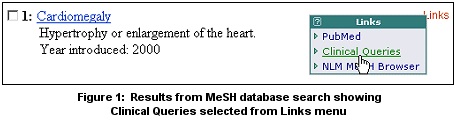
This MeSH term will be entered in the query box on the Clinical Queries page where you can proceed with either a search for Clinical Queries or Systematic Reviews (See Figure 2). If desired, additional terms can be typed directly into the query box using appropriate Boolean operators. 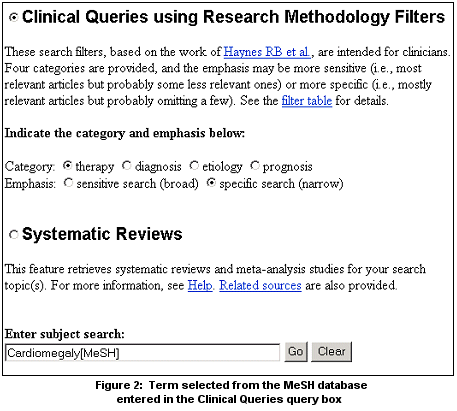
Note: Subheadings and the tags for Major Topic and Do Not Explode cannot be applied directly to MeSH headings using the MeSH database Links menu options. For more information about using the MeSH database or Clinical Queries page, see PubMed's Help.
By Annette M. Nahin 
Nahin AM. Link to Clinical Queries Added to MeSH Database. NLM Tech Bull. 2004 Mar-Apr;(337):e2. | ||
 ou can now transfer a term found in the MeSH database to PubMed's