This is a preview of updates coming to the Technical Bulletin's website in April 2026. Return to current site.
Read more about the modernization release schedule in this announcement.
Comment via the yellow feedback button in the lower right hand corner of the page. Contact the NLM Help Desk with any questions or concerns.
This is archived content.
Links may have become inactive over time. Visit Archive-It to find the original published layout.
NCBI MeSH® Database Updated
Canese K. NCBI MeSH® Database Updated. NLM Tech Bull. 2011 Jan-Feb;(378):e7.
January 26, 2011 [posted]
February 14, 2011
[Editor's note added]
[Editor's note: These changes were implemented in PubMed on February 14, 2011.]
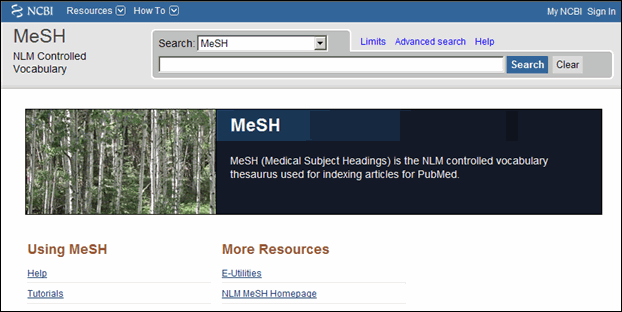
The National Center for Biotechnology Information (NCBI) Medical Subject Headings (MeSH) Database will soon be redesigned to provide users with the same streamlined interface now available in PubMed® and the NLM® Catalog (see Figure 1).
MeSH is the National Library of Medicine controlled vocabulary used for indexing articles for PubMed.
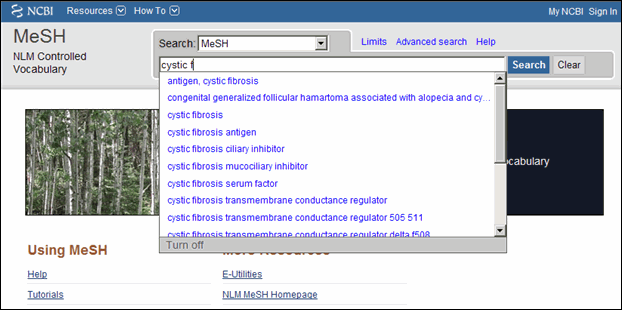
Autocomplete Feature Added
"Suggestions" has been replaced by an autocomplete feature (see Figure 2).
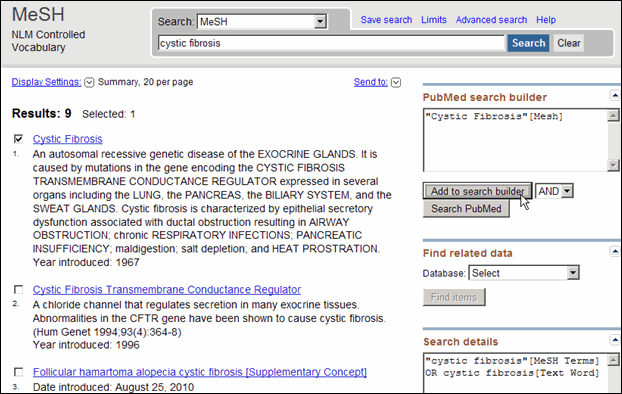
Launching PubMed searches from MeSH
To build a PubMed search from MeSH, run a search, select terms using the check boxes, and then click "Add to search builder" in the PubMed search builder to the right of the results. You may continue searching and including additional terms to the PubMed search builder using "Add to search builder" and the Boolean pull-down menu. When you are finished, click "Search PubMed" (see Figure 3).
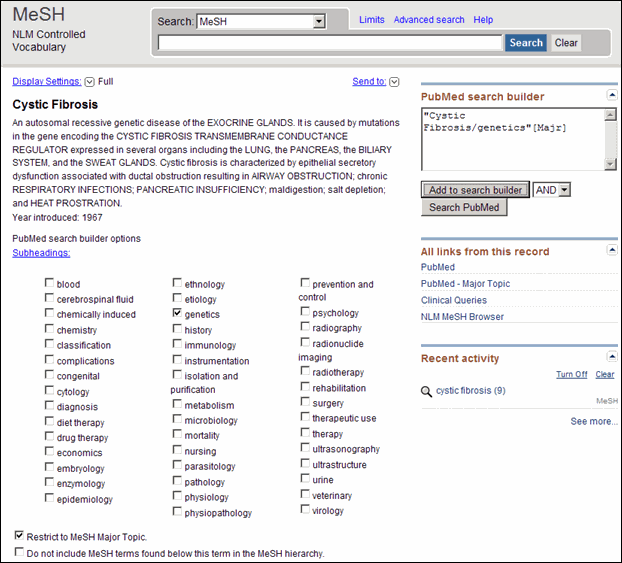
To add subheadings or specific search requirements for terms, click the term from the Summary display to view the Full display, and then check the required selections, for example, Restrict to MeSH Major Topic (see Figure 4) before clicking Add to search builder. When viewing the MeSH record in the Full format, you can search the terms in PubMed, Clinical Queries, and the NLM MeSH Browser using the links under "All links from this record." If, however, you select check boxes, for example, for subheadings, you must use the search builder as described above.
Supplementary Concepts
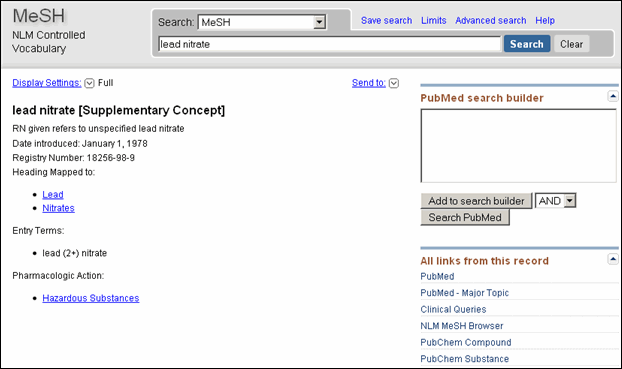
The Substance Name field was renamed to Supplementary Concepts; terms will be tagged with the new name, for example, lead nitrate [Supplementary Concept] (see Figure 5).