
U.S. flag

An official website of the United States government

Here’s how you know

Official websites use .gov
A .gov website belongs to an official government organization in the United States.

Secure .gov websites use HTTPS
A lock ( ) or https:// means you’ve safely connected to the .gov website. Share sensitive information only on official, secure websites.

This is archived content.

Links may have become inactive over time. Visit Archive-It   to find the original published layout.

My NCBI Saved Search Enhancements

Canese K. My NCBI Saved Search Enhancements. NLM Tech Bull. 2013 Mar-Apr;(391):e5.

March 29, 2013 [posted]
April 23, 2013 [Editor's note added]

[Editor's note added April 23, 2013: These changes were implemented in PubMed on April 17, 2013.]

The My NCBI Saved Search Settings page will soon be modified to include the ability to edit the search terms (see Figure 1).
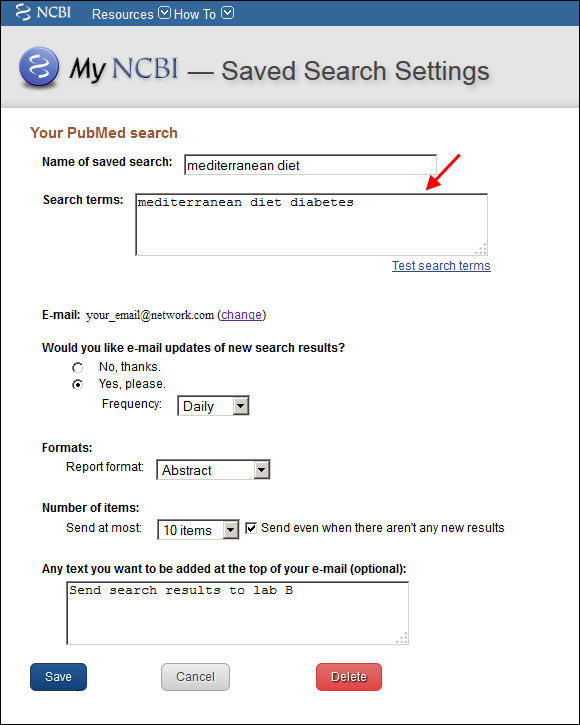
Screen capture of My NCBI Saved Search Setting page with an editable <blockquote>Search terms</blockquote> box.
Figure 1: My NCBI Saved Search Setting page with an
editable "Search terms" box.

Users may change the search in the "Search terms" box, and then click the "Test search terms" link to check the search in PubMed before saving (see Figure 2).
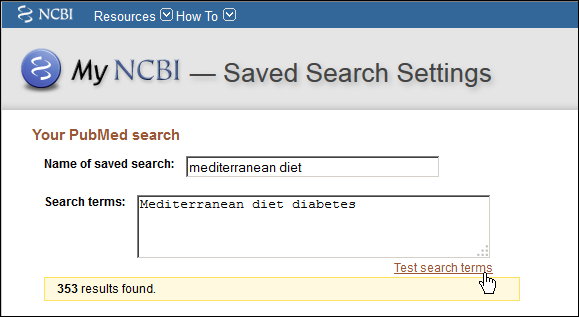
Screen capture of Saved search terms modified and tested in PubMed.
Figure 2: Saved search terms modified and tested in PubMed.

Click the "Save" button (see Figure 3) after any edits to save the changes to the search name, search terms, e-mail schedule, or optional text. The Saved Search Settings page e-mail update schedule selections will also be streamlined.
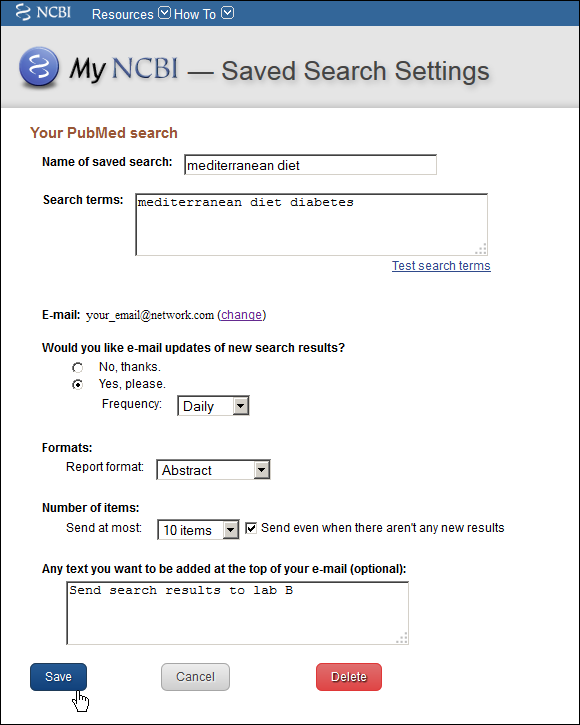
Screen capture of Click Save to update saved search settings.
Figure 3: Click Save to update saved search settings.

In addition, an "Edit" link to the Saved Search Settings page will be added to the My NCBI automatic e-mail alerts (see Figure 4).
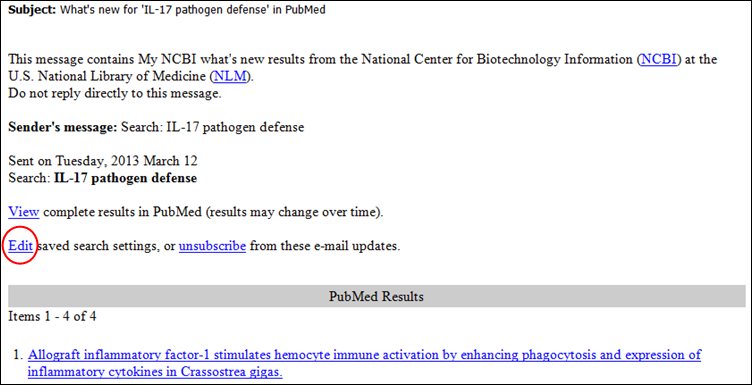
Screen capture of My NCBI automatic e-mail update message with modified links.
Figure 4: My NCBI automatic e-mail update message with modified links.