

Table of Contents: 2019 SEPTEMBER–OCTOBER No. 430
Canese K. The New PubMed Updated: Homepage, User Guide, My NCBI Alerts and Collections, and More. NLM Tech Bull. 2019 Sep-Oct;(430):e5.
Several new features have been added to the new PubMed including an updated homepage, an online user guide, the CSV file format, My NCBI Filters, My Bibliography and Collections, and search integration with the MeSH and NLM Catalog databases.
The National Library of Medicine (NLM) is continuing to develop features on the PubMed Labs platform, and this new version of PubMed will eventually replace the legacy PubMed. See An Updated PubMed Is on Its Way for more information.
Homepage and User Guide
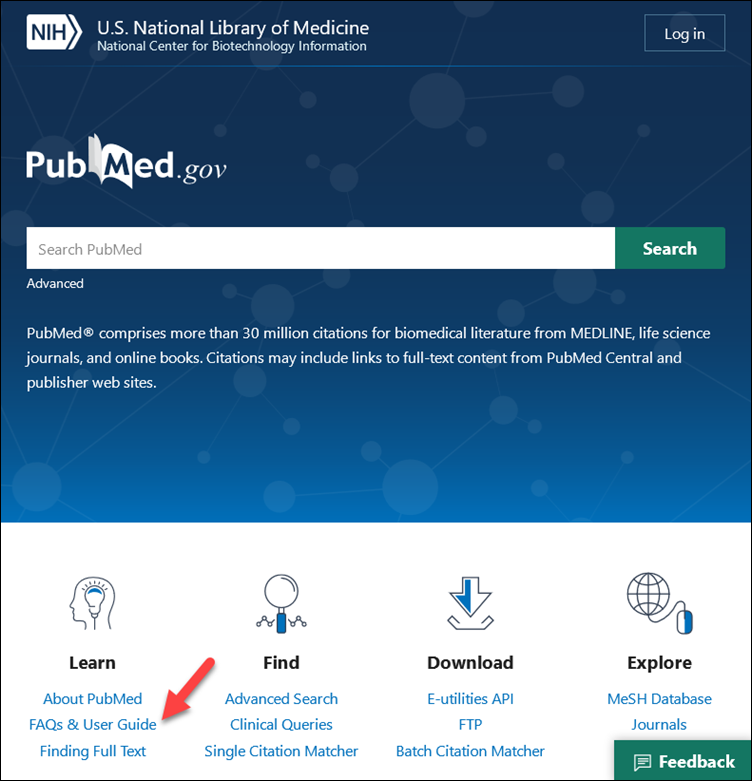
An updated homepage includes links to many popular sites including E-utilities, Advanced search, and the MeSH database. A link has also been added to the recently published FAQs and User Guide (see Figure 1).
CSV File Format
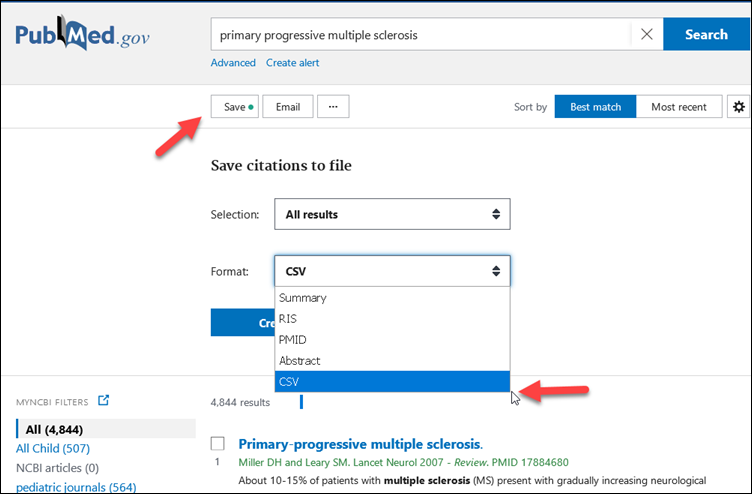
The save citation to file feature was updated to include a CSV format (see Figure 2).
My NCBI Features
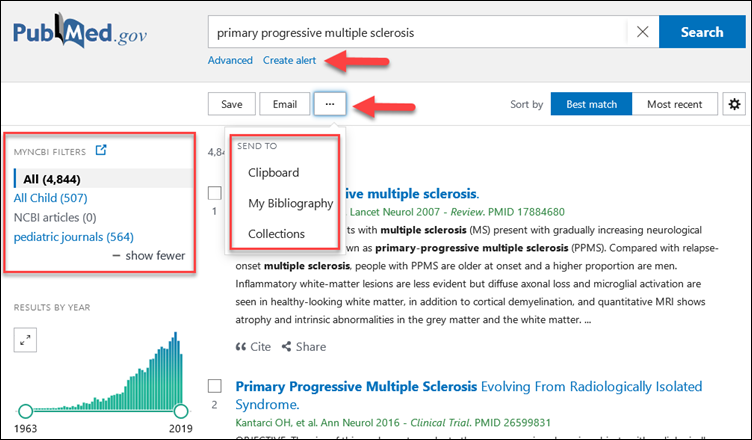
My NCBI filters now display above the "Results by Year" timeline for signed in users that have activated filters. Collections and My Bibliography selections were added to the send to action menu. A "Create alert" link is also available after running a search to create My NCBI automatic email updates for saved searches (see Figure 3).
MeSH and NLM Catalog
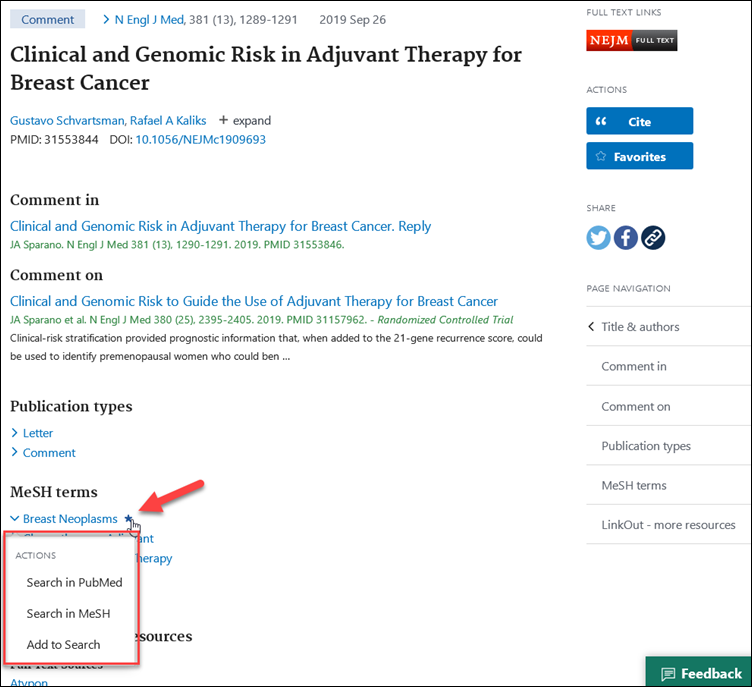
Search integration has been added to the NLM Catalog for journal title abbreviations on the Abstract display format. Search integration has also been added to the MeSH database for MeSH terms, Publication Types, and other terms appearing on the Abstract display format (see Figure 4).
When the new PubMed becomes the default site, searches built in the MeSH database will be routed to the new site. In the meantime, please copy and paste your query from the MeSH database if you would like to try it in the new PubMed.
By
Kathi Canese
National Center for Biotechnology Information


