

Table of Contents: 2019 NOVEMBER–DECEMBER No. 431
Collins M. The New PubMed is Here. NLM Tech Bull. 2019 Nov-Dec;(431):e3.
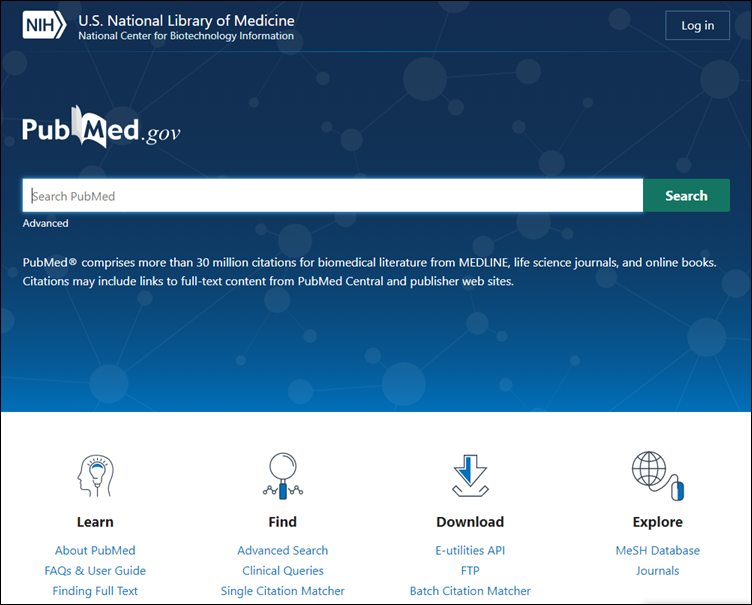
An updated version of PubMed is now available at https://pubmed.ncbi.nlm.nih.gov/ (see Figure 1). The new PubMed will become the default in spring 2020 and will ultimately replace the legacy version.
Responsive design
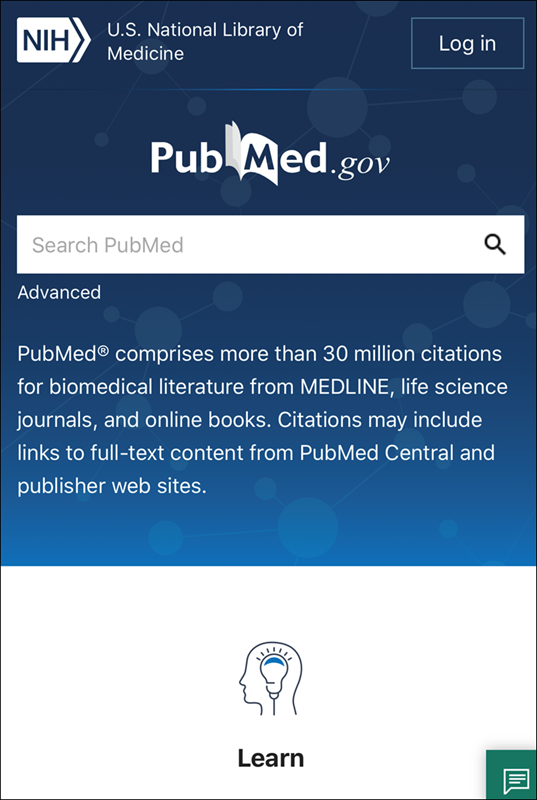
The new responsive layout offers better support for accessing PubMed content with the increasingly popular small-screen devices such as mobile phones and tablets. The interface is compatible with any screen size, which provides a fresh, consistent look and feel throughout the application, no matter how you access it (see Figure 2). A single, responsive website means that the features you use on the desktop are also available on your mobile device, including library icons for libraries participating in the Library LinkOut using Outside Tool service.
Improved search
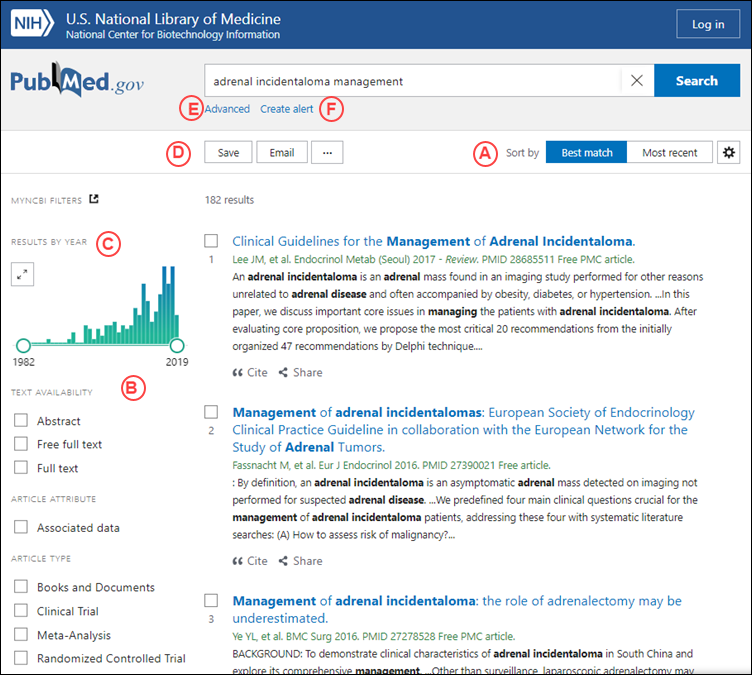
Find highly relevant articles more easily using the Best Match sort (see A in Figure 3), now the default sort order in PubMed. Best Match uses a state-of-the-art machine learning algorithm that is trained on aggregated user searches. The Best Match algorithm ranks search results according to several relevance signals. For more information about Best Match, please see the article, Best Match: New relevance search for PubMed.
The features and data you rely on
The new PubMed includes the features you rely on for searching, as well as saving and sharing your results.
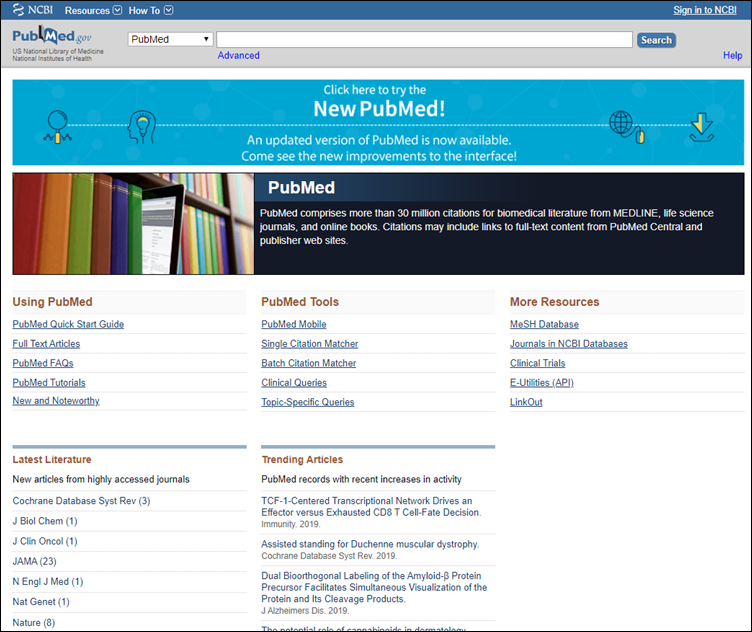
Click on the blue banner on the legacy PubMed home page to try the new PubMed (see Figure 4).
NLM will continue adding features and improving the user experience, ensuring that PubMed remains a trusted and accessible source of biomedical literature today and in the future.
For more details on the features in the new PubMed, view the recorded webinar, "A New PubMed: Highlights for Information Professionals."
See also:
The New PubMed Updated: Homepage, User Guide, My NCBI Alerts and Collections, and More
PubMed Labs Update: Using Filters
PubMed Labs Update: Library LinkOut using Outside Tool
PubMed Labs Update: Add Citations to the Clipboard
PubMed Labs Update: Advanced Search, History, and Search Details
By
Marie Collins
National Center for Biotechnology Information


