



MetamorphoSys can generate custom load scripts for MySQL, Oracle, or Microsoft® Access when creating a Metathesaurus subset or installing the Semantic Network. Instructions for loading a subset of the UMLS Metathesaurus or Semantic Network into a database, by using the scripts and files created by MetamorphoSys, are provided below. Some modification of the scripts created by MetamorphoSys might be needed under special circumstances.
If you are having problems with the current release, consult the Release Notes and Problems (Bugs). If you are having problems with a previous release, consult the Previous Release Bugs.
Metathesaurus Load Scripts for MySQL
Note to MySQL users implementing MySQL version 5.6:
MySQL version 5.6 and above defaults to use the InnoDB storage engine. Users have reported disk space issues while loading RRF data into MySQL 5.6 databases due to default InnoDB settings that store all tables and indexes within the system tablespace. MySQL 5.6.6 now sets the 'innodb_file_per_table' configuration setting to 'ON' so that each newly created table and index are assigned a separate .idb data file. Users should read the MySQL documentation for additional information.
Instructions for MySQL users:
- Create a database specifically for this data.
- The database must use the UTF-8 character set.
Metathesaurus Load Scripts for Oracle
Instructions for Oracle users:
- Create a schema specifically for this data.
- Set tablespace at unlimited, or high enough to ensure the amount of space available is what is needed by the data. Granting UNLIMITED TABLESPACE is acceptable as long as "AUTOEXTEND" is turned on to allow for unlimited table space growth.
- Create synonyms for tables or only access tables using the same login used to create them.
- Do not use the SYS/SYSTEM account to load data into the database since the default table space is SYSTEM, which is reserved for the data dictionary.
- Use MTH or another account to insert data into the database; do not use "AS SYSDBA" to see the tables. Setting the proper grants from the beginning will solve this problem.
- The loader script must be changed to SCHEMA.TABLE format to insert data into the proper tables if the SYS/SYSTEM account is used.
- The database must use the UTF-8 character set.
Metathesaurus Load Scripts for Microsoft® Access
Instructions for Microsoft® users:
- Use the .mdb database file created by MetamorphoSys as starting point.
- The data files must use the UTF-16LE character set.
Semantic Network Load Scripts for MySQL
Instructions for MySQL users:
- Create a database specifically for this data or reuse he database from a Metathesaurus data load.
- The database must use the UTF-8 character set.
Semantic Network Load Scripts for Oracle
Instructions for Oracle users:
- Create a schema specifically for this data.
- Create synonyms for tables or only access tables using the same login used to create them.
- Do not use the SYS/SYSTEM account to load data into the database since the default table space is SYSTEM, which is reserved for the data dictionary.
- Use SN or another account to insert data into the database; do not use "AS SYSDBA" to see the tables. Setting the proper grants from the beginning will solve this problem.
- The loader script must be changed to SCHEMA.TABLE format to insert data into the proper tables if the SYS/SYSTEM account is used.
- The database must use the UTF-8 character set.
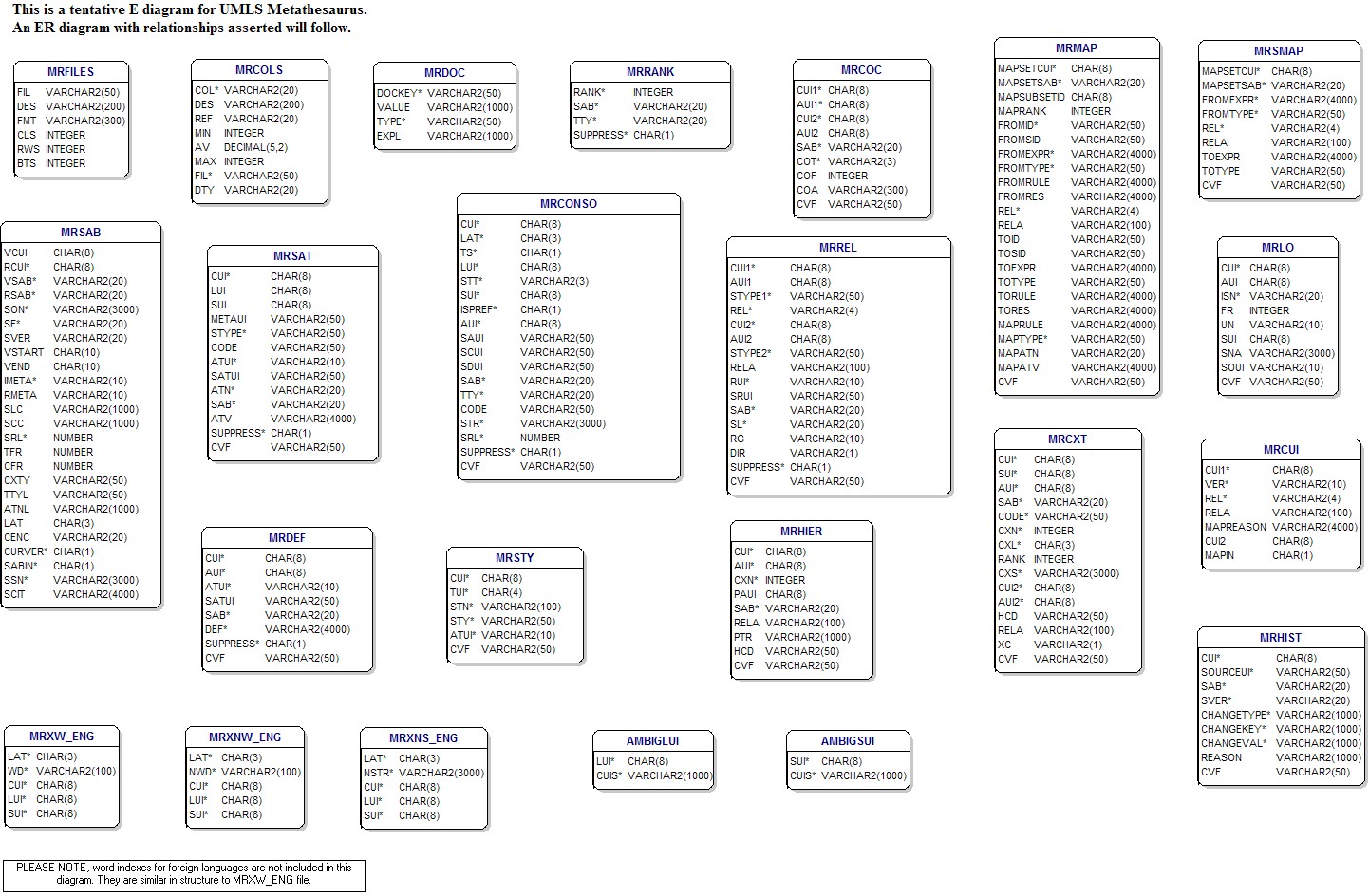
Data Model
Last Reviewed: July 29, 2016